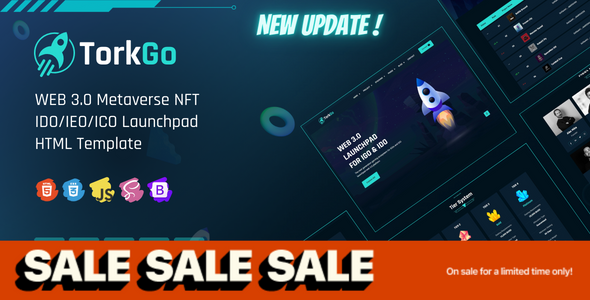
TorkGo Web 3 元宇宙 IDO Launchpad 模板
TorkGo 是一款专注于 Web 3 与元宇宙场景的 IDO/IEO/INO Launchpad HTML 模板,包含 3 个首页变体及 24 个以上的完整页面,适合加密项目方快速搭建 Launchpad 平台官方网站。
技术栈
- HTML5 + CSS3(静态站点)
- Bootstrap 5.x(响应式布局)
- Font Awesome(图标库)
- AOS(滚动动画)
- Swiper(轮播)
- jQuery(交互逻辑)
项目结构
text
torkgo/
  index.html          # 首页 1
  index-2.html        # 首页 2
  index-3.html        # 首页 3
  project.html         # 项目列表
  project-2.html       # 项目列表 2
  project-details.html # 项目详情
  apply-project.html   # 申请项目
  stacking.html        # 质押挖矿
  farming.html        # 流动性耕作
  roadmap.html        # 路线图
  roadmap-2.html
  kyc.html            # KYC 认证
  tier.html           # 等级体系
  leaderboard.html    # 排行榜
  tokenomics.html     # 代币经济学
  team.html           # 团队
  team-member.html    # 团队成员
  signup.html / login.html / reset-pass.html
  contact.html / faq.html / 404.html
  assets/             # css/js/images/fonts
torkgo-documentation/ # 使用文档
核心文件说明
torkgo/index.html— 主首页,顶部导航含多级下拉菜单torkgo/assets/css/style.css— 主题核心样式文件torkgo/project.html— 项目展示页面,含筛选功能torkgo/stacking.html— 质押收益计算与展示torkgo/apply-project.html— 项目方申请入驻表单torkgo-documentation/index.html— 完整配置与定制文档
快速开始
- 直接在浏览器打开
torkgo/index.html即可预览 - 如需本地服务器:运行
npx serve torkgo或使用 VS Code Live Server 插件 - 修改内容:直接在对应 HTML 文件中编辑文本和图片路径
使用建议
- 主要面向加密货币/区块链项目方,建议将
assets/images中的占位图替换为实际项目 logo 和配图 - 页面中的邮箱地址(
support@thetork.com)需替换为实际联系方式 - 文档站 (
torkgo-documentation) 可直接删除或部署为独立帮助页面
